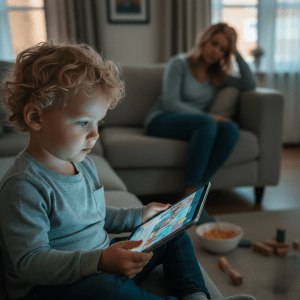

What Most Parents Are Really Asking
Parents are rarely asking whether videos contain educational material.
They are asking a deeper question:
“Is this helping my child’s brain — or quietly shaping it in ways I don’t understand?”
Are Educational Videos Bad for Toddler Attention?
Key Takeaways
- Yes, educational videos can aid learning by integrating visual and auditory stimuli. This helps simplify complex subjects for children.
- Emotional engagement via story and relatable characters helps kids attach to content, which boosts their desire to learn.
- Videos that are purposefully designed with well-written narration, relevant visuals, and interactivity prompt kids to engage and foster deeper learning.
- Tailoring video content to a child’s age and developmental stage is important since young children have varying requirements and attention spans.
- Parents have a crucial part to play by co-viewing, posing questions, and generally assisting children in linking video content to real life.
- With moderation and selection, educational videos help kids avoid potential pitfalls such as passive consumption, misinformation, and overstimulation, making videos an enriching part of a child’s learning experience.
Parents are told educational videos help children learn faster. Brighter visuals. Catchy songs. Early exposure to numbers and language.
But many parents quietly notice something unsettling afterward —
their child struggles to focus, becomes restless, or melts down when the screen turns off.
So what is actually happening inside a young brain?
Are educational videos truly helping toddlers learn…
or are they training attention in ways most families don’t see until later?
The answer is more nuanced than most headlines suggest.
Need a quiet reset after video overload. The Free Calm Pack gives instant, self-initiated calm thinking play.
When Educational Videos CAN Support Learning
Educational videos can support early learning when they are slow, intentional, and designed for a child’s cognitive limits.
Young brains process information differently from adults.
They benefit from:
- clear narration
- simple visuals
- predictable pacing
- repetition
When these elements are present, videos may help introduce vocabulary, patterns, or basic concepts.
But this is where many parents misunderstand their impact…
Exposure is not the same as learning.
Tiny Thinks™ is for those times when screens are too stimulating or a kiddo requires a quiet reset in focus. The Free Calm Pack and age-based Workbooks are designed for after-school crashes, mealtime meltdowns or bedtime wind-down when parents need their little one to settle, reflect and return to calm.
Why Toddlers Often Struggle to Learn From Videos
A toddler’s brain is built for interaction — not observation.
Real learning happens when a child can:
- touch
- respond
- experiment
- receive feedback
Videos move on whether the child understands or not.
This creates what researchers often call a transfer gap —
young children may recognize something on screen but struggle to apply it in real life.
For example, a toddler might watch counting repeatedly yet fail to count physical objects during play.
The brain simply learns differently through passive input.
The Hidden Attention Cost Many Parents Notice
Even when content is labeled “educational,” fast scene changes, bright visuals, and rapid narration can condition the brain to expect constant stimulation.
Over time, some parents observe:
- shorter attention spans
- difficulty with independent play
- frustration during slower activities
- stronger resistance when screens turn off
This does not mean all videos are harmful.
It means the brain adapts to the pace of what it repeatedly consumes.
Attention is trainable — in both directions.
The Cognitive Balance
Cognitive load balance is the heart of impactful learning for kids 3 to 7. Excessive stimulation splinters attention. Too little and the child is bored. A lot of parents see this after a hard school day or during screen handoffs—kids are unfocused and scattered, jumping from task to task and unable to calm down.
Research highlights that kids who go online for fun just on the weekends cultivate superior cognitive drive. When and how often you’re exposed to screens counts. Cognitive balance turns out to be about input management, allowing kids to process the input, remember it, and apply what they learn.
Managing Load
Educational video design often overlooks cognitive load. Minimizing extraneous load, such as unnecessary sound effects, rapid scene changes, or cluttered visuals, lets children focus on essential content. Good instructional design uses calm pacing and clear sequencing.
A simple visual, paired with a single voice, outperforms flashy graphics for young minds. Assessing cognitive load means watching for signs. Does your child remember the main idea? Can they follow a two-step instruction after watching? If the answer is no, the video may be too busy or too long.
Checklist for parents:
- Is the video visually calm, with minimal distractions?
- Are instructions clear and sequenced?
- Does your little one request to see or hear it again?
- Could your child, unprompted, explain or exhibit what they observed?
Boosting Engagement
Interactive video features—like pausing to ask a question or easy tap-to-choose moments—facilitate engagement only if the pace remains gentle and predictable. Gamification helps, but too much reward or too rapid change inundates more than it motivates.
Interactive material that softly adjusts to a child’s input instead of speeding past it supports attention. Engagement is best measured by quiet attention: is your child leaning in, eyes steady, and able to recall what they just watched?
Parents see the difference: weekend-only screen use often means children return to offscreen play more easily, showing better patience and independent initiation. This matches research: children with strong routines and boundaries around screen entertainment have better self-control and stronger academic performance.
Promoting Retention
Repetition and soft-pedaled reinforcement is what works. Videos featuring the same soothing voice, reiterating key ideas, with opportunity to pause and replay reinforce memory. Sight and sound should complement, not vie with one another.
It’s what I call the cognitive balance. For example, professors designing for retention incorporate rhythm, order, and space for silent digesting.
Tiny Thinks™ is made for these moments when mom or dad require baby’s attention, cognition, and tranquility. The Free Calm Pack resets attention after a hectic day, substituting rapid-fire input with slow, tangible, repeatable activity.
For continued assistance, age-appropriate Tiny Thinks™ Workbooks provide structured, screen-free thinking loops during travel, meals, and bedtime wind-down. No stress, just a consistent method to reset your attention, develop cognitive muscles, and eliminate screen dependence.
Age-Specific Effectiveness
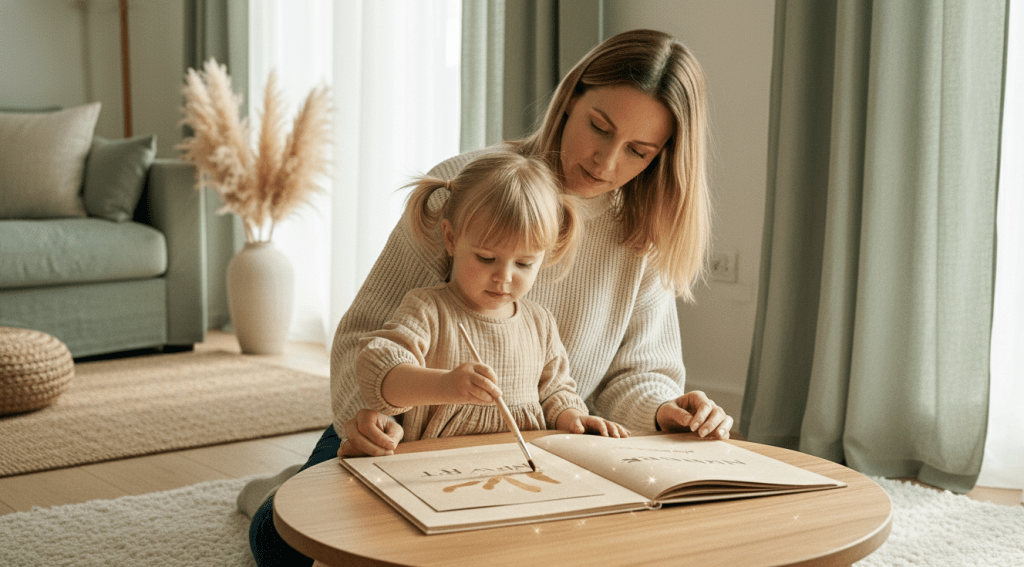
Educational videos aren’t equally effective across all age groups. The stage of development influences what a child internalizes, their duration of involvement, and what really resonates. Toddlers, kids, and teens respond to video input in very different ways. Video structure must be matched to cognitive ability. What soothes and educates one age may overwhelm or under stimulate another.
Whether or not do educational videos help kids learn depends heavily on a child’s age, developmental stage, and tolerance for stimulation.
The results emphasize age as a crucial variable in educational effectiveness, with younger cohorts generally achieving better test scores and being more receptive to interactive videos. It’s not just the video that matters; it’s the fit to the child’s stage.
|
Age Group |
Key Video Features |
Attention Span |
Optimal Content Types |
|---|---|---|---|
|
Toddlers |
Simple visuals, music, bright colors |
1–3 minutes |
Songs, finger plays, early word games |
|
Children |
Storytelling, characters, interactivity |
5–15 minutes |
Science basics, math, social lessons |
For Toddlers
Toddlers require videos that are slow-moving, repetitive, and employ basic shapes and colors. Small doses of nursery rhymes or lullaby tunes capture their attention without overpowering. Most toddlers tap out after two or three minutes. Longer videos lose them and the learning stops.
Stuff that gets them pointing, clapping, or babbling is best. It gently prods motor and language development with no push. It’s not early academics. It’s establishing calm, predictable input that soothes the system and supports core vocabulary, not passive watching.
For Children
Kids ages four to seven yearn for connection in their stories. Story-centered videos with warm, repeating characters assist new concepts touch down in secure, acquainted land. Kids this age respond to videos that prompt them to answer back or solve mini puzzles, not just stare.
Channels that combine slight humor with basic math or science concepts imagine slow paced counting, cause and effect, or social stories maintain attention for longer. Interactivity can be as straightforward as posing a question and then waiting, allowing the child space to contemplate, not merely to ingest.
This is the age where attention training and independent initiation begin to be most important, and screens that accommodate this pace assist true learning.
When screens begin to overstimulate rather than support learning, many parents look for calmer ways to help their child focus.
The Tiny Thinks Free Calm Pack was created for exactly these moments — offering quiet, structured thinking activities children can begin independently.
For families wanting deeper routines, the Tiny Thinks workbooks extend this approach with screen-free exercises designed to support attention development during the years it forms fastest.
What Makes Videos Effective
Educational videos work when they are thoughtfully paced for a child’s thought process, not an adult’s schedule. The most effective videos are designed with intention: they are short, focused, and directly tied to the skill or concept being taught. Videos designed for online learning—not just basic classroom capture—generally tend to hold attention better, particularly when they eliminate distractions and progress at a consistent, child-appropriate pace.
Production quality counts, but not for show. Crisp sound, strong lighting, intentional gestures, and concise editing assist kids in understanding new concepts without overwhelming them. Above all, the best educational videos control cognitive load by chunking information, signaling what is important, and eliminating extraneous content.
Clear Narration
A child’s mind can’t follow a lesson if the narration is muddy or rushed. Distinct, consistent voicing—expressive but not mechanical—assists kids in latching on and sticking with the lesson. Changing your tone and pace keeps the brain awake. A monotone loses even the most motivated student.
Not every kid requires a storyteller, but all thrive with narration that pauses at cliffhangers, reintroduces central themes, and employs probing questions to get them thinking. The best storytellers edit scripts for conciseness and rehearse until presentation is effortless but authentic. For instance, StoryBots and Sesame Street frequently employ clear, warm voices that stress the important words at a pace the kid can keep up with.
Purposeful Visuals
Visuals in teaching videos shouldn’t be decorative; they should support the lesson’s central point. Intentional graphics, such as arrows or circles, highlight important information. Infographics and diagrams dissect complex concepts into easy-to-understand pieces.
When choosing visuals, align each image to the learning goal. If teaching sequencing, use step-by-step diagrams. For vocabulary, use clear, labeled pictures. Eliminate clutter and stay with calm, neutral backgrounds to keep cognitive load down. The appropriate visual presented at the appropriate moment can make a challenging idea immediately clear to a student.
Interactive Elements
Interactivity transforms a child from passive watcher to active thinker. Short quizzes, polls, or direct prompts woven into video keep young viewers engaged and checking their own understanding. Interspersed questions every so often, particularly ones that pause the lesson until you answer, increase retention and make it stick.
Feedback, such as instant answers or praise when a kid makes a choice, closes the loop and limits frustration. Platforms such as “Khan Academy Kids” and “National Geographic Kids” weave in these elements, encouraging kids to stop and engage, not simply observe.
Tiny Thinks™ is different for parents who want their kid quiet and thinking, not just zoned out. Free Calm Pack is a post school relief tool, during screen transitions, or when dinner chaos descends. Unlike videos, Tiny Thinks™ cultivates attention and working memory with hands-on screen-free structure, no narration, no noise, nothing but slow, deliberate thinking.
Kids come back to these silent workbooks on their own and plant themselves down without parental shove. For parents craving quiet options, age-specific Tiny Thinks™ Workbooks build on this approach. No hype, no pressure. Just good old-fashioned, regulation-first design that performs in the real family trenches.
Daily focus builds through repetition. Tiny Thinks screen-free workbooks establish structured thinking that children return to on their own.
The Parent’s Role
Parents determine the context in which toddlers interact with educational videos. With such an abundance of digital content, the form a parent’s involvement takes can determine if a screen moment becomes a fragmented-attention distraction or a real learning experience. Tiny Thinks™ views screens as a pragmatic tool, not a moral dilemma.
What matters is how parents construct scaffolding around these moments and assist kids in identifying when media supports and when it undermines.
Co-Viewing
Viewing them together shifts the experience for a child. The moment a parent sits beside, the kid recognizes this as an activity with mutual worth, not just white noise. When parents co-view, they can pause, explain, and extend ideas as they go.
Even a few minutes together can ignite more interesting discussions. If a video features animals in the forest, a parent can highlight details, inquire about what is occurring, or link it to parks they have explored. Kids can light up when an adult sees what they see.
During co-viewing, parents can pose easy questions like “What do you think will happen next?” or “Did you see that bird’s color?” and encourage the child to observe patterns, recall a fact or make a prediction. These rapid check-ins transform passive viewing into active thought.
When parents role-model curiosity or wonder aloud, kids learn that content isn’t just something to absorb; it’s something to think through, question, and discuss.
Asking Questions
Good questions are a parent’s best instrument for making the learning from video go deeper. They don’t have to be complex. Questions like, “Was that class fun?” or “What surprised you?” create room for your child to pause and think.
This small gesture encourages kids to digest what they witnessed instead of simply whipping themselves up into a whirlwind of activity with the next thing. Questions such as “Why did the character do that?” or “How would you solve that problem?” aid in developing reasoning skills.
Even parents can lead with, “Let me hear one thing you learned,” or, “Want to give that activity a shot here at home?” These questions prompt recall, order and independent motivation.
In the long run, kids who are consistently prompted to think become more thoughtful regarding what they view and more selective about what’s truly worth their time.
Connecting Concepts
The most potent learning occurs when kids can connect the digital material with the real world. If a video presents a new concept like counting, parents can immediately shift to counting toys, snacks, or steps.
If an animal is involved, a park visit or storybook can solidify the concept. Easy things, such as sketching a picture of something discussed in the video or reenacting a scene, lend to solidifying new learning and making it relevant.
When parents assist kids in identifying these connections, they demonstrate that learning doesn’t cease when the screen turns off.
Tiny Thinks™ was designed for these times—after school, mealtime madness, road trips, waiting rooms, and bedtime cool-downs—when screens are alluring yet screen control is tenuous.
Bonus: Free Calm Pack The Free Calm Pack provides parents an instant, organized, screen-free method to calm and center a child. Age-based Tiny Thinks™ Workbooks provide predictable, visually serene thinking activities your kids can begin and complete independently.
These aren’t toys. They’re a kind way to reframe focus, construct attention and generate a scalable, autonomously fueled learning habit, particularly when screens have outstayed their use-by date.

Potential Video Pitfalls
I’m sure you’re familiar with educational videos being a staple in young childhood routines. They swear to educate, yet their effect relies on their application. Videos are a useful tool, but there are genuine limits on attention formation, sequencing, and independent cognition, especially for 3–7 year olds. Below are common pitfalls and practical strategies for parents looking to support regulation and learning.
|
Pitfall |
Potential Impact on Learning |
|---|---|
|
Passive Consumption |
Reduces active engagement; weakens retention |
|
Misinformation Risk |
Introduces errors; undermines trust in content |
|
Overstimulation |
Fragments focus; increases cognitive load |
|
Excessive Length |
Lowers engagement; students skip or tune out |
|
Poor Design |
Misses diverse learning styles; overloads memory |
Passive Consumption
Kids who watch video without interacting absorb less. Passive watching doesn’t activate working memory, so information seldom absorbs. For instance, a kid spacing out to a lengthy video is probably missing important concepts, regardless of whether the content is deemed “educational.
You’ve got to be actively engaged. Questioning videos or videos that pause for thinking give kiddos a chance to digest. Pause and ask, ‘What do you think happens next?’ or ‘Can you show me with your hands?’ Simple tricks transform watching into thinking.
Short videos are most effective. If it is more than 6 minutes, most kids begin skimming or check out. Seek out short, interactive activities that encourage involvement. If a kid can retell what they saw or even act it out, you’re likely entertaining.
Misinformation Risk
Not all educational videos are accurate or well done. Some have stale facts or confusing information. Little kids are especially susceptible to believing everything at face value.
Be sure to vet the source. As with any media, parents can seek out content from reputable educational organizations or creators they trust. Previewing videos ahead of time saves you from embarrassing or inappropriate messaging mistakes.
Teach kids to ask simple questions: “Who is telling me this?” and “Can I find this information in a book too?” Over time, these habits construct crucial media literacy.
Overstimulation
Most videos feature quick cuts, earsplitting noise and crammed content. This can rapidly overwhelm a kid’s working memory, causing them to lose track of or forget what was being learned. Talking faster than 185 words a minute overloads kids.
Be moderate. Alternate video time with hands-on play, art or audio books. Select videos that are visually quiet, meaning slower paced speech and a cleanly sequenced presentation. Steer clear of flashing graphics or fast cuts.
Tiny Thinks™ is the screen-free solution for when you need calm and focus after school, before bed, on-the-road and more. The Free Calm Pack includes silent, scaffolded thinking tasks for individual engagement.
For deeper routines, age-based Workbooks develop attention, sequencing, and regulation without overstimulation. Tiny Thinks™ is an easy trick to swap video time for soothing, replayable think play particularly when the rhythms get cacophonous.
When screens stop working, calm structure takes over. Tiny Thinks turns scattered moments into deliberate thinking play.
Conclusion
So — Are Educational Videos Good for Toddlers?
They can introduce ideas.
But they cannot replace the kind of slow, hands-on experiences that build lasting attention, problem-solving, and independent thinking.
For toddlers especially, the brain benefits most from environments that encourage interaction rather than passive watching.
Many families find that videos work best as a small supplement — not a primary learning tool.
Because in early childhood, how a child learns matters just as much as what they learn.
Frequently Asked Questions
Do educational videos really improve children’s learning?
About: do educational videos help kids learn They teach via sight and sound, which aids kids in grasping and retaining concepts.
Are some age groups more likely to benefit from educational videos?
Younger children tend to respond well to brief, stimulating video content that features simple images and reinforcement, while older students can tackle more advanced video lessons, acquiring richer knowledge.
What features make an educational video effective?
Good educational videos serve the purpose of enhancing student engagement through interactive video content that is simple, age-appropriate, and topic-specific, incorporating visuals and real-world examples.
How much time should kids spend watching educational videos?
They advocate for reducing screen time and supplementing it with other activities. For kids aged 2 to 5, less than 1 hour per day is recommended. Older children need parameters established by adults.
Can educational videos replace traditional teaching methods?
No, videos must supplement traditional teaching. They’re most effective when supplemented with reading, discussion, experiments, and adult involvement.
What should parents do when children watch educational videos?
Parents, watch along with your kids whenever you can! This helps reinforce the learning process, address questions, and relate the video content to real-life experiences.
Are there drawbacks to using educational videos for learning?
Yes, while using video as an educational tool can enhance student engagement, excessive screen time impacts attention and health, so monitoring viewing is essential.