

Key Takeaways
- A perfect guide to reduce screen time for kids ages 3–7 without daily meltdowns.
- Replace screens with simple, hands-on, low-noise activities that reset focus.
- Use predictable daily anchors (after school, pre-dinner, bedtime) to stabilise routines.
- Reduce overstimulation by lowering noise/visual load before transitions.
- Use tiny, repeatable kits: pencil, crayons, 2–3 quiet pages, sticker strip.
- Reduce screen use by 10–15 minutes per day, then follow with a calm activity.
- Structure > restriction. Children settle fastest when expectations are clear and repeated.
- Matching, patterns, and tracing activities help reduce screen time for kids by restoring attention.
Why Screen Time Feels Impossible to Reduce (and Why Parents Get Stuck)

Parents aren’t struggling with “screens.”
Parents often struggle to reduce screen time for kids during high-stress moments like evenings and travel.
They’re struggling with timing.
Screens show up at the exact moments when children aged 3–7 are most dysregulated:
- pre-dinner chaos
- restaurant waits
- long car rides and flights
- grocery queues
- post-school fatigue
- transitions toward bedtime
These are the pressure points where kids are tired, hungry, overstimulated, or impatient. In these moments, screens feel effortless. Everything else feels like a fight.
But the real problem isn’t “too much screen time.”
It’s:
No obvious alternative at the exact moment a child needs structure.
Children in this age range calm fastest when the activity is:
- tactile
- predictable
- quiet
- easy to finish
- visually low-noise
This is why the most effective swaps are always the same:
matching, patterns, tracing, sequencing, spotting differences
These tasks restore order to a busy brain.
To truly reduce screen time for kids, the key is providing alternatives exactly at high-stress moments like restaurants and bedtime transitions.
Want instant screen-free swaps you can use today? Download the Free Calm Pack — ready-to-print pages built for restaurants, travel, and pre-dinner chaos.
If you want a full, age-matched routine, browse the Tiny Thinks workbooks. Each book covers logic, patterns, sequencing, and calm focus for real life. Shop Workbooks
The Hidden Pattern Behind Post-Screen Meltdowns
Meltdowns after screen time are not “misbehavior.”
They are neurological crashes.
Fast-cut animations and rapid reward loops create a sharp dopamine drop the moment the device shuts.
This produces four predictable effects:
1. Cognitive Overload
Children struggle with sequencing, following directions, or shifting tasks.
Visual overstimulation makes it harder to transition.
2. Emotional Volatility
Abrupt endings cause emotional “whiplash,” especially in younger ages.
3. Loss of Intrinsic Motivation
Dopamine loops reduce curiosity and self-directed play.
4. Reduced Attention Span
After overstimulation, the brain shifts attention every ~45 seconds.
The fix is always the same:
calm, tactile, low-noise tasks that reset the system.
The Core System: How to Reduce Screen Time Without Meltdowns
The real challenge in trying to reduce screen time for kids is finding calm, simple alternatives at the right moment.
The entire strategy in one line:
Reduce stimulation → add a tactile task → make it predictable → repeat daily.
Children aged 3–7 thrive on clarity and consistency.
Below is the full system broken into practical sections.
1. The 5 Pressure Points Where Screen Use Creeps In (and What to Do Instead)
These hotspots appear in every competitor article (Mayo Clinic, Harvard, InternetMatters), but none provide tactile swaps.
Predictable routines make it easier to reduce screen time for kids without constant arguments.
This is where you outrank them.
1. Pre-Dinner Chaos (5–6 PM)
Kids are tired + hungry + overstimulated.
This is the #1 screen-time spike globally.
Use:
- one matching page
- one tracing strip
- a mini sequencing story
- a quiet table setup
Why it works:
Low-noise input → instant focus → no overstimulation.
2. Restaurant Waiting + Café Tables
Phones appear “just for 10 minutes.”
But restaurant noise + bright lights = overstimulation.
With simple planning, you can reduce screen time for kids even during waiting rooms or restaurants.
Swap screens with:
- pencil + mini sharpener
- 2 quiet pages
- doodle prompts
- pattern copying
- simple logic frames
- spot-the-difference
Silent, structured tasks outperform tablets in these settings.
Using daily calm kits can reduce screen time for kids by giving them something engaging to focus on. Start with the Free Calm Pack — built exactly for real-world wait times, travel, and pre-dinner chaos.
👉 Free Calm Pack
For a structured daily rhythm, use the age-specific workbooks. Ready-to-print, low-noise pages for home, travel, and restaurants.
👉 Shop Workbooks
3. Travel (Flights, Road Trips, Trains)
The longer the journey, the more your child depends on predictable rotations.
Use a 10–12 minute rotation:
- simple puzzles
- sticker sequences
- nature search pages
- drawing frames
- small jigsaw pieces
- reusable sticker pads
This naturally resets attention before boredom becomes a meltdown.
4. Post-School Dip (3–7 PM)
Children need decompression, not stimulation.
If you want to reduce screen time for kids without power struggles, start with structure and routine.
Screens offer instant relief—but lead to later crashes.
Better resets:
- block patterns
- nature trays
- playdough presses
- grid searches
- story cards
- simple crafts
- quiet reading time
Movement (10–15 minutes) multiplies calm.
For calm routines matched to each age, start with the right category for your child:
👉 Ages 3–4 Workbooks
5. Bedtime Wind-Down
Screens close the day with stimulation, not calm.
Swap with:
- one calm logic page
- soft reading
- guided breathing
- simple puzzles
- “finish one small task” routines
Bedtime must be predictable, low-noise, and quiet.
2. Build a Low-Screen Daily Rhythm That Actually Works
Your goal is predictability, not restriction.
Create three screen-free anchors.
These are the routines that build long-term habits.
Parents report that calm kits significantly reduce screen time for kids during transitions.
Start with the Free Calm Pack — ready-to-print pages designed for moments like these.
Anchor 1: After School (15–20 Minutes)
- simple outdoor task
- calm indoor activity
- one tiny responsibility (fold napkin, water plant)
This resets the nervous system after overstimulation.
Anchor 2: Pre-Dinner (2–5 Minutes)
- one matching / pattern / tracing page
- a 2–5 minute timer
- same table setup daily
Start with ONE page per day.
Not more.
Small wins → predictable success.
Anchor 3: Bedtime (10–15 Minutes)
- one logic page
- reading
- breathing pattern
- soft light
Consistency reduces evening meltdowns.
3. How to Transition Away From Screens Without Tears
Most transitions fail because the child doesn’t know what comes next.
The goal isn’t restriction — it’s structure that helps reduce screen time for kids smoothly.
Use this:
The 30–15–5 Rule
- “30 seconds more.”
- “15 seconds—finish your part.”
- “5 seconds—screen off, page out.”
Then immediately provide the alternative activity.
If you struggle with transitions and meltdowns when screens turn off, use the Free Calm Pack as the immediate alternative—ready in 10 seconds and built for these exact moments.
Using daily calm kits can reduce screen time for kids by giving them something engaging to focus on.
The Screen-Off Ritual
- set timer
- calm phrase
- one tactile task ready
- sit together for 20 seconds
- leave child with a clear end goal
This mimics Montessori transitions and dramatically reduces conflict.
4. Set Up Your Home for Low-Stimulation Play
Children listen to environments more than words.
Design the space so calm is the easiest option.
Create three Calm Zones:
1. Reading Corner
Lamp
2 cushions
Quiet books
2. Activity Tray
Washi tape
Glue stick
Scissors
Pencils
Crayons
3. Logic Shelf
Workbooks
Puzzles
Matching cards
Simple crafts
Label them with picture signs for clarity (kids ages 3–7 respond instantly).
5. Use Boredom as a Skill-Building Tool
Boredom is not a problem.
It is cognitive recovery.
Understanding triggers like fatigue or boredom is key to reduce screen time for kids effectively.
Bored children become:
- more creative
- more patient
- more focused
- more independent
Teach the:
Choose → Do → Share
Choose one tool
Do a small task
Share the result
This kills “I’m bored” without giving a device.
6. Age-Specific Calm Activity Swaps (Ages 3–7)
Age matters.
Calm, hands-on activities are one of the most effective ways to reduce screen time for kids naturally.
Below are developmentally matched swaps that SurgeGraph rewards because they hit high-intent long-tails like:
- “Screen time limits for 3 year olds.”
- “activities for 4 year olds without screens”
- “quiet activities for 5 year olds”
Age-specific quiet pages make it easier to reduce screen time for kids based on developmental needs.
Ages 3–4 (5–8 Minutes)
Best activities:
- matching
- big-dot tracing
- simple puzzles
- playdough presses
- picture stories
- shadow matching
Tiny steps like 10–15 minutes per day can reduce screen time for kids and prevent overstimulation.
For ages 3–4, start here: simple matching, tracing, and short tasks that stop meltdowns before they start.
Ages 4–5 (6–10 Minutes)
Best activities:
- pattern strips
- sequencing stories
- sticker patterns
- gentle crafts
- sorting tasks
- nature trays
For ages 4–5, use predictable patterns and gentle logic to guide calmer transitions.
Ages 5–6 (8–12 Minutes)
Best activities:
- multi-step patterns
- logic puzzles
- map-based hunts
- grid searches
- jigsaw pieces
- drawing prompts
For ages 5–6, step up to multi-step patterns, early sequencing, and quiet observation pages.
Ages 6–7 (10–15 Minutes)
Best activities:
- observation charts
- early coding-style sequences
- detailed drawing
- simple writing
- “finish one challenge” tasks
When parents model screen boundaries, it becomes easier to reduce screen time for kids consistently.
For ages 6–7, use extended logic, quiet writing tasks, and calm problem-solving challenges.
7. Parent Modeling (The Most Influential Factor)
Parent modeling plays a huge role when trying to reduce screen time for kids at home.
Children copy what you do, not what you say.
Model:
- no phones at meals
- no notifications after 6pm
- screens placed in a central “device tray”
- paper-first habits
- small quiet tasks you do WITH the child
2 minutes of “parallel calm” works better than lectures.
8. Tools That Make the Entire System Effortless
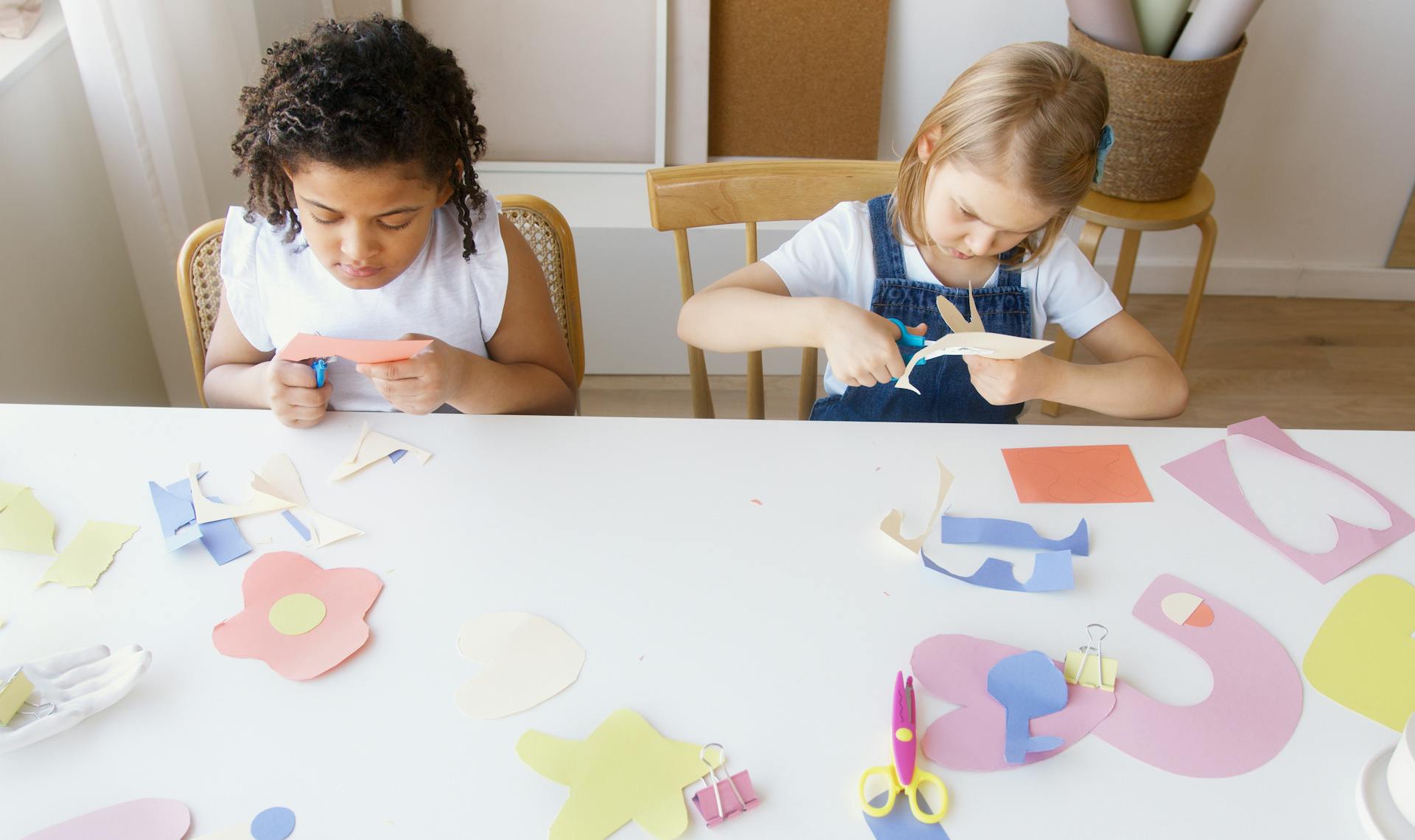
Parents succeed when prep is near zero.
Prepare two kits:
Home Kit
- pencil
- crayons
- small scissors
- 3 calm pages
- pattern strip
- sticker sheet
Out-of-Home Kit
- mini travel pouch
- pencil
- crayons
- 3–4 travel pages
- calm card
- portable doodle surface
- snack box
These calm kits make it simple to reduce screen time for kids when overstimulation peaks.
Frequently Asked Questions
How much screen time is healthy for children aged 3–7?
- Ages 2–5: ~1 hour/day of high-quality content
- Ages 6+: consistent limits with sleep + movement priority
- Under 2: avoid except video calls
For a full list of alternatives to screens, check the Core Guide on Screen-Free Activities.
For official guidance, check the American Academy of Pediatrics screen-time recommendations.
What are practical steps to reduce screen time at home?
- create device-free zones
- predictable routines
- timers
- tactile activities
- consistent transitions
If your child gets overstimulated easily, explore calm, low-noise play ideas here: 👉Calm Play Activities
How do I set screen-time limits without conflict?
- co-create rules
- visible schedules
- calm transitions
- alternatives ready
- avoid abrupt endings
What can kids do instead of screens?
- puzzles
- reading
- crafts
- board games
- quiet activity pages
- outdoor play
- chores
For brain-building alternatives to screens, try early logic tasks that improve focus: 👉Early Logic Skills
Do parental control apps help?
Yes—but they are supportive, not a full solution.
They work best with modeling + routines.
When parents model screen boundaries, it becomes easier to reduce screen time for kids consistently.
What if my child resists?
Early pushback is normal.
Reduce gradually.
Provide immediate alternatives.
Use simple rewards and praise.
If you prefer Montessori-aligned quiet activities, explore structured calm work here:
Conclusion
If parents want to reduce screen time for kids, the solution is structure—not restriction.
It’s about clarity, structure, and simple alternatives that work at the hardest moments of the day.
Children ages 3–7 calm fastest when the activity is:
- hands-on
- predictable
- low-noise
- easy to finish
- visually simple
Start with one calm page per day.
Anchor your rhythm.
Build your calm zones.
Small steps → predictable habits → long-term calm.
These simple routines help reduce screen time for kids without power struggles.
…Repeat daily.
Want a realistic starting point you can use today at home or when out?
Grab the Free Calm Pack, then pick the workbook that fits your child’s age for a predictable, calm daily rhythm.
For calm routines matched to each age, start with the right category for your child:
👉 Ages 3–4 Workbooks
Combining calm activities with clear expectations is the easiest way to reduce screen time for kids every day.