
- Key Takeaways
- Key YouTube vs YouTube Kids Differences
- Empowering Parents with Controls
- How Content Curation Differs
- The Creator’s Dilemma
- Is YouTube Kids Truly Better?
- Navigating Digital Wellness
- Conclusion
- Frequently Asked Questions
- What is the main difference between YouTube and YouTube Kids?
- Can parents control what children watch on YouTube Kids?
- Is the content on YouTube Kids always safe?
- How does content curation differ between YouTube and YouTube Kids?
- Do content creators face different rules on YouTube Kids?
- Is YouTube Kids better than YouTube for children?
- How can families support digital wellness using these platforms?
Key Takeaways
- YouTube Kids provides a safer, age-appropriate experience with curated videos, an easy-to-navigate interface, and robust parental controls. Regular YouTube allows children access to a wider variety of content, some of which could be inappropriate.
- The kid-specific UI and navigation of YouTube Kids encourages younger kids to seek out videos on their own, facilitating their confidence and frustration-free screen time.
- Ads on YouTube Kids are limited and more unobtrusive, which helps shield kids from targeted ads and all the associated stimulation.
- Parental controls on YouTube Kids let parents create profiles, filter content, and manage screen time. This provides families more control over children’s digital consumption.
- Human moderators and algorithmic filters collaborate on YouTube Kids to repel unsuitable content. It is still important to update frequently and for parents to keep an eye out for safety.
- By co-viewing and discussing online content together, parents can foster children’s healthy digital habits and build stronger family bonds of trust. This lays the groundwork for technology to be a positive influence in early development.
Youtube Kids vs. Youtube offers two very different experiences for young children.
YouTube Kids includes child-friendly filters, limited search, and simpler visuals to minimize access to fast, unpredictable content. Regular YouTube has algorithmically powered feeds and uncensored suggestions that encourage fast content-hopping and overwhelm. Some families pair these choices with gentle support from Tiny Thinks to help children return to calmer, offline engagement.
Knowing these distinctions allows parents to select a platform that complements their child’s developmental brain and encourages calmer, more mindful interactions. This is particularly important during those hectic random times throughout the day.
Key YouTube vs YouTube Kids Differences
YouTube and YouTube Kids are both video platforms, but their design, content curation, and regulatory features diverge in important ways when the aim is to safeguard and cultivate young children’s attention and regulation. The main distinction is not about screens being “good” or “bad.” The distinction lies in the speed, unpredictability, and complexity of what a child encounters during high-pressure moments: after school, waiting rooms, and bedtime wind-down.
1. Content Universe
YouTube Kids provides a curated, significantly smaller content library tailored to children’s content. The vast majority of videos are educational, soft entertainment, or basic how-tos. There are channels for early learning, stories, and calm, slow-paced play, like animal facts, simple music, and step-by-step drawing. It limits uploads to pre-approved creators, eliminating the possibility of community challenges or adult humor.
Normal YouTube is enormous, with more than 500 hours uploaded each minute. Although it contains educational treasures, it is a terrain where algorithm-powered content can veer fast. Despite these filters, approximately 8-12% of inappropriate content can slip through. Kids can be exposed to knotty issues, influencer soap operas, and attention-splitting, angst-inducing trends.
YouTube Kids sections videos by age: Preschool (under 4), Younger (5–8), and Older (9–12). Each setting narrows or broadens the scope of available content, providing parents more granular control. By 9 years old, only 25% stick with YouTube Kids; most have transitioned to regular YouTube already.
2. User Interface
YouTube Kids is visually de-cluttered. Big icons, little text, simple menu options, and vibrant, solid colors ensure that 3 to 7 year olds can navigate on their own. Search is limited or turned off by parent choice, minimizing the chance of rabbit holes.
Navigation is straightforward and intuitive. Kids swipe through choices, not bottomless scrolls. It is less cognitive load which helps save working memory and attention. Accessibility features like voice search and high-contrast visuals are integrated.
The regular YouTube site is made for teens and adults. It has small icons, packed menus, freewheeling comments, and autoplay that facilitate rapid hopping. This can swamp a young child’s still-maturing executive function.
3. Advertising Policy
YouTube Kids limits ads: no targeted advertising, no direct product pitches, and longer pauses between ad breaks. The ads are curated and age-appropriate. Standard YouTube employs data-mined, targeted advertising even to children. Research ties these to heightened anxiety and impulsive purchasing in kids, particularly older girls.
Advertising trends are important. Swift, targeted advertising on standard YouTube can exacerbate overstimulation and corrode focus. Ad exposure, which is lower and less intrusive on YouTube Kids, is not absent.
4. Parental Controls
YouTube Kids offers a strong dashboard. Parents control viewing time, age filters, block content, and watch history. It’s all customizable; disable search, handpick videos, or even lock channels. These controls are made for rapid, repeated use at real-life stress points, not extensive configuration.
There are parental controls on regular YouTube, but they’re less granular. Restricted mode is able to filter some mature content, but it’s anything but airtight. Parents need to be more hands-on and watchful, frequently requiring third-party tools.
You need parental involvement, of course, but it’s the system that counts. A smart platform with smart controls lowers the mental overhead for parents and kids.
5. Data Privacy
Parental controls connect straight to privacy. Setting up individual kid profiles on YT Kids enables age-specific content customization and enhanced data security. Filtering will keep out the vast majority of inappropriate videos, and you’ll still want to keep an eye out.
It’s easy to set time limits in YouTube Kids, which can help stop the slide from tranquil viewing to frenzied overstimulation of a screen marathon.
Parents after dependable decompression, not random distraction, often see screen-free systems like Tiny Thinks™ as more predictably restorative. The Free Calm Pack gives you instant, hands-on thinking tasks for after school, transitions or travel.
When focus is fractured and the kid fights to stay plugged in, Tiny Thinks™’s organized, low-stim pages reboot the brain silently and autonomously. No algos, no noise.
For families ready to push further, age-based Tiny Thinks™ Workbooks add in pattern recognition, sequencing, and working memory, which are essential skills not developed by rapid, random video. These systems operate alongside screen time, not against it, providing parents with a lever for real-world control, not just screen prying.
|
Feature |
YouTube Kids |
Regular YouTube |
|---|---|---|
|
Content Library |
Curated, child-focused |
Massive, all-ages |
|
Content Filtering |
Strict, age-based |
Limited, less strict |
|
User Interface |
Simplified, child-friendly |
Complex, adult-focused |
|
Advertising |
Limited, vetted, no targeting |
Targeted, frequent |
|
Parental Controls |
Comprehensive, easy to use |
Basic, fewer options |
|
Data Privacy |
Stronger, child profiles |
Standard, less control |
Empowering Parents with Controls
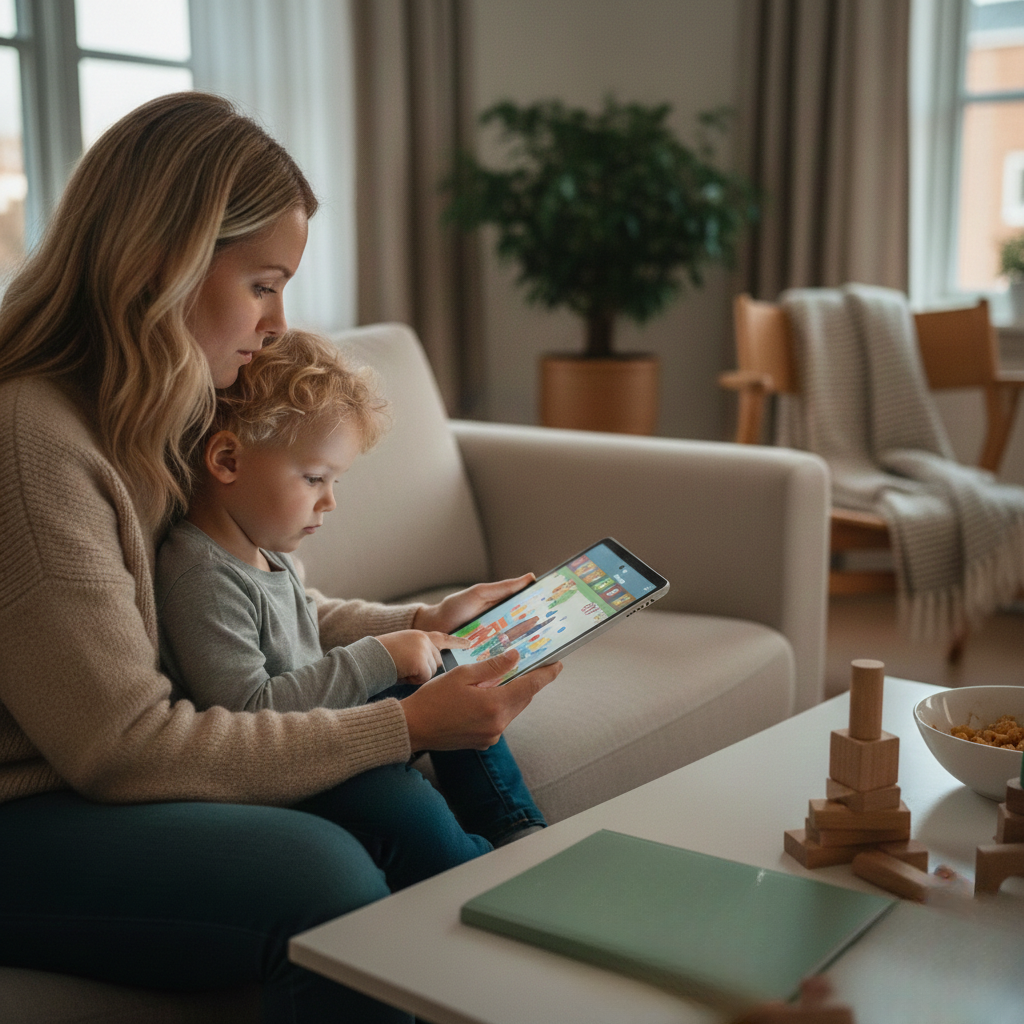
Good parental controls offer a consistent, predictable digital world for kids. Parents want effective, simple controls that protect their child’s attention, not just filter content. YouTube Kids includes a robust suite of controls that enable parents to craft screen time, curate content, and view activity without hands-on supervision.
It’s always about empowering parents with the ability to craft an experience in a way that works for their child and family values, NEVER implying screens are evil.
Profile Creation
Setting up individual profiles for each child on YouTube Kids allows a parent much more granular control. Create your profile in minutes—enter your child’s name, choose their age (preschool, younger, older), and select which features to activate. This enables finely grained content selection.
For instance, a profile for a four-year-old can be customized to display only slow and gentle songs or storytime, while a six-year-old sibling can access simpler science videos or beginner crafts. Separate profiles minimize cross-age content and help avoid younger children stumbling into quick, overstimulating content designed for older ages.
Google Family Link rounds it all out. It allows parents to control access, configure screen time windows, and monitor activity remotely across multiple devices. Filters update regularly so parents don’t get left in the dust as new trends pop up.
Personalization options, such as blocking particular channels or videos, keep each child’s experience secure and serene. That means less bargaining, fewer unexpected shocks, and greater assurance that what’s on the screen aligns with the child’s developmental stage.
Content Filtering
YouTube Kids utilizes algorithmic and human review of content. Parents can take additional steps. Filtering options for every age bracket add a further safeguard. Preschoolers receive simple animation and sing-alongs. Older kids can indulge in mild educational material.
Filters adapt as kids age up, but parents can override defaults and block any video or channel with one tap. These controls are cross-device as well, so if a video is blocked on a tablet, it remains blocked on the TV.
Custom filtering is required. Even the finest algorithms overlook things. Parents can disable autoplay, disable comments, and prevent uploads with a few quick switches. By keeping screens in common spaces, such as the living room, it’s easier to identify and address worrisome content and maintain consistent schedules.
Time Limits
Time limits are a straightforward avenue to avoid digital overload. YouTube Kids lets parents impose daily video time limits of fifteen minutes after school and thirty minutes on weekends so kids don’t fall into screen avalanches.
These windows can be tied to accomplished activities like completing homework or chores, promoting good habits. Too much screen time fragments attention and makes us irritable, particularly following hyper-stimulating videos delivered at high speed.
Parents, you’re going to get those meltdowns after a long session. Setting expectations, like “You get two cartoons after dinner then it’s puzzle time,” helps little ones make a smooth transition. Time limits that are visible and predictable, not a surprise, are conflict-reducing.
Search Functionality
Search on YouTube Kids is limited to age-specific, pre-approved content. A search for ‘trains’ brings up soft cartoons, not viral challenge videos. Parents can turn off the search bar altogether for younger users, eliminating the risk of accidentally wandering into something inappropriate.
Guided search fosters curiosity while keeping kids in a safe lane. With parental controls, adults can check out search history, identify patterns, and redirect as necessary. This equilibrium between freedom and supervision is difficult to achieve on standard YouTube, where search is unfiltered and algorithms can take you anywhere.
Content Curation
YouTube’s primary service is based on rapid, randomizing algorithms. Recommendations draw from anywhere and are frequently based on what’s popular, not necessarily what’s suitable. YouTube Kids screens these through a combination of AI and human curation.
Categories are more focused on animals, education, and music. Parents can create family playlists, making exploring a collaborative effort. Blocking and categorization are easy. Parents can lock out channels, curate by age, and even make playlists together.
This shared curation cultivates early critical thinking by helping kids identify ads, sponsored content, and real learning from fun. For families craving a quieter, screen-free alternative, Tiny Thinks™ provides a straight path back to concentration.
The Free Calm Pack resets attention after screen time, and age-based Workbooks create a predictable, low-stim environment for independent play. These tools don’t compete with screens; they reset equilibrium and help digital content exit stages left.
Tiny Thinks™ is the hands-on relief that actually works in those moments when a child needs to calm and THINK.
How Content Curation Differs
YouTube and YouTube Kids both rely on algorithms to curate content, but the method and purpose of each system is remarkably different. For regular YouTube, the algorithm customizes suggestions for the broadest potential audience, trying to maximize engagement and view duration. That exposes kids to a wide mix of music videos, viral clips, and popular creators, frequently without much concern for their stage of development or attention span.
It can be loud and fast, with autoplay delivering a random feed. For a little kid, this can be quickly overwhelming, particularly after a long day at school when regulation is already tenuous.
On YouTube Kids, the algorithm is tailored to emphasize safety and education. It tries to block mature or inappropriate content through some automated screening and human review. Parents can whitelist only pre-approved content or filter more broadly by age and content category.
Even with these guardrails, algorithm-driven curation has its limitations. Context is lost, nuance is difficult to capture, and not-so-great material can make it through. It’s meant to safeguard, but no automated system is perfect.
Algorithmic Curation
YouTube Kids has human moderators who review flagged videos and channels, in an effort to pick up things algorithms might miss. This provides a safety blanket. The sheer quantity of uploads makes it impossible for every video to be individually attended to.
Moderators work against a moving target; creators continually push and transgress, sometimes inadvertently because of cultural disparities or confusion over rules. For parents, trust is never total. Vigilance is always required, particularly with very young audiences.
Human review is of assistance, but the volume and velocity of uploads generate lapses. The trick for creators is staying within shifting moderation boundaries. What flies one day gets flagged the next.
For families, this ambiguity can chip away at trust in the platform’s assurance of security. At best, human moderation offers reassurance. At worst, it exposes the system’s limitations.
Human Moderation
YouTube Kids organizes videos into groups such as education, music, shows, and activities. This architecture assists parents in navigating kids’ interests toward age-appropriate content. Unlike regular YouTube, where the lines between categories are wide and blurry, YouTube Kids tightens its focus and helps sidestep frenetic or overwhelming content.
Varied topics promote education by providing everything from easy science projects to soothing tales. For families who want more direct control, others enable parents to individually approve channels and straddle automated and manual curation.
Content Categories
More stringent standards for creators making videos for YouTube Kids. Rules around language, visuals, and monetization are stricter. Advertising is capped, and subjects must remain age-appropriate. Revenue is tougher to make, causing some great educational creators to shy away.
Audience interaction is different as well. Kids will watch the same video over and over again, craving routine. For creators, that means less feedback and less ability for course-correcting content with comments or likes.
To something different, content curation is no longer about chasing trends but building predictable, stable experiences.
For parents who want a truly tranquil, screen-free solution, Tiny Thinks™ are created for precisely these moments—after school, travel, waiting rooms or bedtime. The Free Calm Pack provides children an easy, guided doorway to calm their minds.
For deeper focus and early thinking skills, age-specific Tiny Thinks™ Workbooks carry the magic forward and provide a trustworthy alternative when screens just won’t cut it.
The Creator’s Dilemma
Making kids content on YouTube and YouTube Kids has its own specific pressures influenced by regulation, monetization, and the pragmatic demands of parents and platforms. The creator’s dilemma is not just what to show; it’s how to maintain quality, follow regulations, and create for the actual developmental stage of young audiences. This all occurs at the same time as functioning within platforms built for rapid, massive output.
Stricter Guidelines
YouTube Kids has stricter policies than the primary platform. All videos must adhere to child-safe standards, steer clear of unsuitable content, and abstain from manipulative practices such as clickbait images or deceptive titling. These guidelines are clear: nothing violent, nothing mature, no hidden ads, and no direct calls to buy. Content is reviewed, sifted, and screened for anything that gets by.
For creators, that translates into less ad revenue potential. Most conventional monetization tactics, such as native ads, sponsored content, and product placements, are limited or prohibited. This caps revenue potential and may cause certain creators to shy away from the space. Instead, others resort to public subsidies, grants, or direct support from mom or the school.
The notion of a $100 million fund for commercial-free kids’ media has emerged as a potential middle ground. Most creators continue to do business on thin margins, which drives them to seek out new models that aren’t based on ads. Content quality can become hit or miss. Although the ones with public or private support can concentrate on developmental worth, the rest are stuck juggling cost, conformance, and how to make something fun and safe for children.
Monetization Rules
YouTube Kids monetization looks different than the main platform. With conventional ads limited, creators turn to alternatives such as merchandise, licensing, or direct support from parents. Others forge partnerships with educational brands or pursue public grants. These choices require planning on a timescale that typically benefits established studios rather than independent voices.
The effect is clear: creators face a trade-off between scale and integrity. Those pursuing scale might gravitate to the dominant platform, where ad dollars come easier and content is less policed. Child safety devotees remain but can rarely keep producing without consistent cash flow. Eventually, this molds the content environment, with less and less independent voices and more and more branded or institution-sponsored shows.
Audience Engagement
YouTube Kids engagement is very controlled. Comments are typically disabled for the protection of minors, leaving little direct devolution. Instead, creators rely on interactive content, pauses, questions, and simple games, to encourage participation. Building an audience is less about conversation and more about loops, loops around which kids keep coming back.
For preschoolers in particular, ages 3 to 7, loyalty is constructed via consistency, not something new. Known rhythms, soothing imagery, and gentle tempo encourage children to relax and interact on their own. Creators must instinct what works, observing retention statistics and modifying content based on viewing time instead of comments or likes.
YouTube Kids vs YouTube: Which Is Better?
Debates about which platform is “better” miss the point. YouTube Kids is built for safety with robust policies, uncompromising curation, and less exposure to harmful content. It’s more difficult to accidentally wander into something risqué, but the wonder of the find can seem constrained and mechanical. Discovery continues to be an issue; kids can get caught in reels of the same content, lacking exposure to diversity and substance.
Normal YouTube provides a wider selection with the danger of accessing inappropriate content. Growth on YT Kids is slow but steady and less viral. This is a trade-off where robust safety and slow discovery contrast with open access and higher risk.
Tiny Thinks™ provides a third way, eliminating the dilemma altogether for parents who desire controlled, child-directed intellectual play. When the moment demands calm—after school, while traveling, at bedtime—a Free Calm Pack or curated workbook refocuses without algorithmic interference. Not picking sides or anything. It has a simple structure that goes to work every time your kid has to calm down and figure it out.
Is YouTube Kids Truly Better?

Parents face a real dilemma: how to offer screen time that feels safe, manageable, and not overwhelming. While YouTube Kids has been built as a safer space, is it ultimately giving families what they really need?
The Safety Argument
YouTube’s main platform is immense. Kids hunting for a favorite cartoon could stumble on parodies, commercials, or even mature content. It’s not just the clear and present danger; it’s the wild unpredictability. Autoplay can quickly spin from innocent cartoon to not kid-friendly content. Kids under 13 almost never understand those lines, and once you get in you leave a scar.
YouTube Kids attempts to remedy this with age-filtered profiles and curated playlists. The concept is that a four-year-old and seven-year-old don’t view identical content. Parents can switch filters for ages nine and up or thirteen and up, but these aren’t foolproof. There are still commercials.
Algorithmic curation means videos are selected to engage you, not necessarily to be high quality or educational. Volume is yet another problem; thousands of videos inundate the screen. For certain kids, this is just way too much, leading to difficulty concentrating or self-regulating.
Curated playlists can assist! When a kid has a handful of predictable, safe options, stress crashes. Because the platform depends on algorithms, surprises can sneak in. Neither YouTube nor YouTube Kids are technologies a kid can use without a grown-up.
The Discovery Problem
YouTube Kids has expanded rapidly, keeping pace with the increasing need for kid-safe video. More families crave stories, songs, and learning on demand. The platform keeps growing with new shows, additional languages, and broader ages. For a lot of people, this appears to be an advancement.
As the library expands, so does the difficulty. Kids have infinite choices. Some age out before they’re prepared for the main YouTube, desiring new hobbies or more mature fare. Parents notice: What started as a safe space can turn into a noisy, distracting one.
YouTube Kids has to continue evolving, providing parents and kids new avenues to restrict options and customize feeds or it jeopardizes its position as the peaceful, controlled screen time staple.
The Growth Path
Digital wellness is a regular feature in parenting now. Having defined guardrails, such as time limits, co-viewing, and discussing what’s on screen with them, makes a meaningful difference. When parents watch with them, kids feel safer and digest what they see. Family viewing becomes a point of connection, not just entertainment.
Talking with kids about what they’re watching, asking questions, and sharing perspectives all help them build media sense. It’s not enough to simply shelter them from inappropriate material but to educate them on how to process the content they consume.
Healthy viewing habits begin with structure and predictable routines, not just with better filters. Tiny Thinks™ is there for when screens just get to be too much! After school, around the dinner table, on a road trip—when a kid needs to calm down, not dive even further into hyper speed video.
The Free Calm Pack offers a gentle entry point: simple, visually calm tasks that restore focus and regulation. For families wanting more, age-based Tiny Thinks™ Workbooks offer structured, screen-free routines. No hype, just a trusted system to help kids decompress and develop focus, especially when parents need a break.
Navigating Digital Wellness

Digital wellness for young children is not about demonizing screens or completely cutting out technology. It’s about putting appropriate limits in place, being aware of how content hijacks developing attention systems, and structuring daily habits that reintroduce peace and nurture autonomous minds. For most families, YouTube and YouTube Kids are just a normal part of life.
The problem isn’t screens per se, but the frenetic speed, randomness, and overwhelming volume of auto-play material, particularly on regular YouTube. Parents hold the key to designing how children engage with digital media, and their participation is fundamental to cultivating enduring habits of wellness.
Fostering Habits
Co-viewing YouTube Kids with your child is more than content policing. It’s an opportunity to demonstrate curiosity and focus. Just sitting and watching a brief educational video, then pressing pause to ask, ‘What did you notice?’ or ‘How do you think that works?’ makes it a slower, more thoughtful experience.
Kids learn to think through what they’re hearing, observe, and generate their own inquiries. Shared viewing consistently sparks meaningful conversations. An animal video can lead to a story about a visit to the park, or an easy craft video might lead to an actual attempt at creating something together.
These mini, in situ conversations cultivate vocabulary, patience, and wonder. Parental involvement, asking questions, setting limits, and helping kids reflect on what they’ve seen shifts passive watching to active, and helps kids build the habit of thinking about what they’re consuming, not just absorbing it.
Watching with a parent in presence helps de-mystify confusing or troubling material. Kids encounter an enormous volume of content online, and even with filters, not all of it is appropriate for their age. By co-viewing, parents have the opportunity to interject, educate, and assist kids in decoding digital information and impart critical thinking early on.
Co-Viewing Benefits
Outside of screens, kids require space to exercise focus, patterning, and patience in the real world. After viewing that painting video, have your kid give the technique a shot offline using real materials. This connects digital knowledge and hands-on practice.
Pacing digital with hands-on experiences nurtures self-regulation and preserves attention spans. Digital wellness tips, screen-free activity packs, you name it, the parent resources are everywhere. Tools such as the Tiny Thinks™ Free Calm Pack provide structured, visually calm substitutes for such moments of decompression after school, on the road, and at mealtime.
These aren’t distractions; they are purposeful, replicable processes kids can initiate and maintain on their own. Instilling a balanced media diet involves teaching children to observe when their energy shifts after quick-hitting content and softly guiding them back to the slower, more predictable activities.
It’s a talent that becomes less daunting with exercise for both kid and mom/dad.
Beyond The App
YouTube Kids is designed as a safer place with filtering and controls to help exclude content on concerns. It’s not perfect. Normal YouTube subjects kids to an onslaught of random content and ads, frequently with adult themes or commercial agendas.
The contrast isn’t just in content, but pace. An unrelenting torrent of high-speed, algorithm fueled videos can overload young minds. In both platforms, parental involvement is a must. Setting screen time limits, checking out viewing history, and openly discussing with children what they are seeing are all very practical steps.
YouTube Kids provides a somewhat safer launch pad, but no app substitutes for guidance and talk. For families looking for overstimulation relief, Tiny Thinks™ is different. The Free Calm Pack and age-based Workbooks are for the wild days when focus is fragmented and parents need calm scaffolding, no hype, no pressure, just a solid thinking overlay.
These tools help reset attention, encourage independent play, and decrease screen dependence, particularly at stressful moments such as after school or before bedtime.
Conclusion
YouTube vs. YouTube Kids — It really comes down to what life looks like in your home. Both provide access to a vast content world, but each has its own issues. YouTube Kids can seem safer, but holes in curation and buggy algorithms still require grown-up care. Regular YouTube is aimed at older audiences and generally isn’t appropriate for early childhood. It’s not about the platform; it’s about the framework—clear boundaries, slow transitions, and calm alternatives that make your kid walk away without a battle. No fancy digital tool stands in for real, predictable systems that enable focus and willpower. That’s where small, disciplined thinking habits really help.
Frequently Asked Questions
What is the main difference between YouTube and YouTube Kids?
YouTube is for all ages and YouTube Kids is for kids. YouTube Kids acts as the filter with more parental controls.
Can parents control what children watch on YouTube Kids?
Yes, parents can set screen time limits, block videos, and approve content on YouTube Kids. These features do not exist or do not work as well on regular YouTube.
Is the content on YouTube Kids always safe?
YouTube Kids utilizes both filters and human review, though some inappropriate content can crack through. Parents should take an active role in what your children view just to be extra safe.
How does content curation differ between YouTube and YouTube Kids?
YouTube Kids is curated and has very strict filters for exactly age-appropriate content. Regular YouTube has all kinds of content, including some that are not kid safe.
Do content creators face different rules on YouTube Kids?
Yes, creators have to adhere to more stringent rules for YouTube Kids. Breaking these will get you content removed or demonetized.
Is YouTube Kids better than YouTube for children?
YouTube Kids is safer for kids because of these filters. It’s not foolproof, hence the parental oversight.
How can families support digital wellness using these platforms?
Families can utilize parental controls, establish screen time limits, and have conversations with kids about online safety to maintain digital well-being on both platforms.