- Key Takeaways
- Recognizing Toddler iPad Dependency
- The “Why” Behind the Screen
- How to Break Screen Addiction
- Choosing Quality Over Quantity
- The Co-Viewing Connection
- Beyond Blue Light Glasses
- Conclusion
- Frequently Asked Questions
- How can I tell if my toddler is addicted to the iPad?
- What are the risks of too much iPad use for toddlers?
- How much screen time is safe for toddlers?
- What steps can I take to reduce my toddler’s iPad use?
- Does co-viewing iPad content with my child help?
- Are blue light glasses enough to protect toddlers from screen harm?
- What should I do if my toddler gets upset without the iPad?
Key Takeaways
- Look out for behavioral, developmental, and physical signs of iPad addiction in toddlers, including tantrums, attention problems, delayed speech, and interrupted sleep.
- Get to the real causes of screen seeking, such as unmet emotional needs, environmental stress, and the hyper arousing quality of digital content.
- Screen addiction can be combated with a clear plan for digital detox, engaging alternatives, habit modeling, and environmental redesign.
- Choose active, educational engagement over passive exposure to help foster your toddler’s cognitive, social, and emotional growth.
- Co-viewing transforms screen time into shared, meaningful learning moments and helps your toddler develop healthy boundaries around technology while you set them together.
- In addition to restricting screens, promote nature play and meditation to bring equilibrium back and assist your child in managing their screen time.
A Toddler Can’t Stop Using the iPad refers to a young child showing strong attachment and repeated need for screen time, often leading to meltdowns when the device is removed.
Many parents observe that their child has a hard time calming down, redirecting attention, or playing solo following extended exposure to luminescent, quick-change apps. Some families try to offset this pattern with structured guidance from Tiny Thinks to help children transition back into slower, hands-on play.
The issue is not merely screen time but that fast digital input fragments attention, so that calm and self-directed play becomes increasingly difficult to reach.
Recognizing Toddler iPad Dependency
For lots of kids ages 3–7, a tablet is de rigueur—almost one-quarter of families purchase tablets for their preschoolers. This is not a moral lapse or an indicator of negligence. It is a pragmatic reaction to contemporary existence. Knowing the early warning signs of iPad dependency allows parents to intervene in attention fragmentation before it becomes permanent.
Dependency isn’t one tantrum or a rough day. It’s about patterns: repeated behaviors that make it harder for a child to settle, focus, and initiate play without a screen.
Behavioral Signs
Withdrawal is the initial, most obvious red flag. You’ve likely witnessed the tantrums, crying, or aggression that ensue once you remove the iPad, and parents observe a distinct change in mood. This isn’t just frustration. It’s a testament to the brain’s dependence on the dopamine hit provided by quick, algorithmic feed.
Addictive behaviors ensue. They will request it over and over, lurk outside its home, and scavenge for an excuse to score a few extra moments. Socially, a child who once played with siblings or participated in family rituals might now withdraw, seeking the reliable feedback loop of the screen.
Your attention span shrinks. Basic activities, such as puzzles, independent play, and dinner table conversation, grow challenging. You see it at dinner or in a waiting room: the child who cannot tolerate boredom or quiet. These behaviors compound with over four hours of daily screen time, which has been linked to delayed language, social, and fine motor development.
Developmental Delays
Speech and language can plateau. Toddler iPad Dependency: Children immersed in screens miss out on the back-and-forth of live conversation, which is essential for building vocabulary and social understanding. Problem-solving skills suffer when you swap real-world play for mindless tapping or watching.
- Delays in expressive or receptive language development
- Struggles with sequencing steps or following instructions
- Difficulty with imaginative play or independent story creation
- Irritability when requested to move from screen to non-digital activities.
Emotional regulation takes a hit. The little one might seem irritable or at a loss to identify emotions, turning to the screen as a sop or a diversion. This is not a discipline issue; it’s a regulation gap that expands with too much digital input.
Physical Effects
Sleep disruption is rampant. Screen time blue light, particularly pre-bed, suppresses melatonin and shifts sleep cycles. Tiredness and headaches could ensue, with parents witnessing a child who wakes unrested or complains of eye strain.
Active movement dips. Kids who while away hours on screens miss out on opportunities for running, climbing, and fine motor practice, which are critical to healthy development.
Checklist for parents:
- Trouble sleeping or tossing and turning at night after evening screen use.
- Complaints of tired eyes, rubbing eyes, or frequent blinking
- Regular headaches without medical explanation
- Noticeable drop in daily physical play and movement
Tiny Thinks™ as a Calm, Screen-Free Alternative
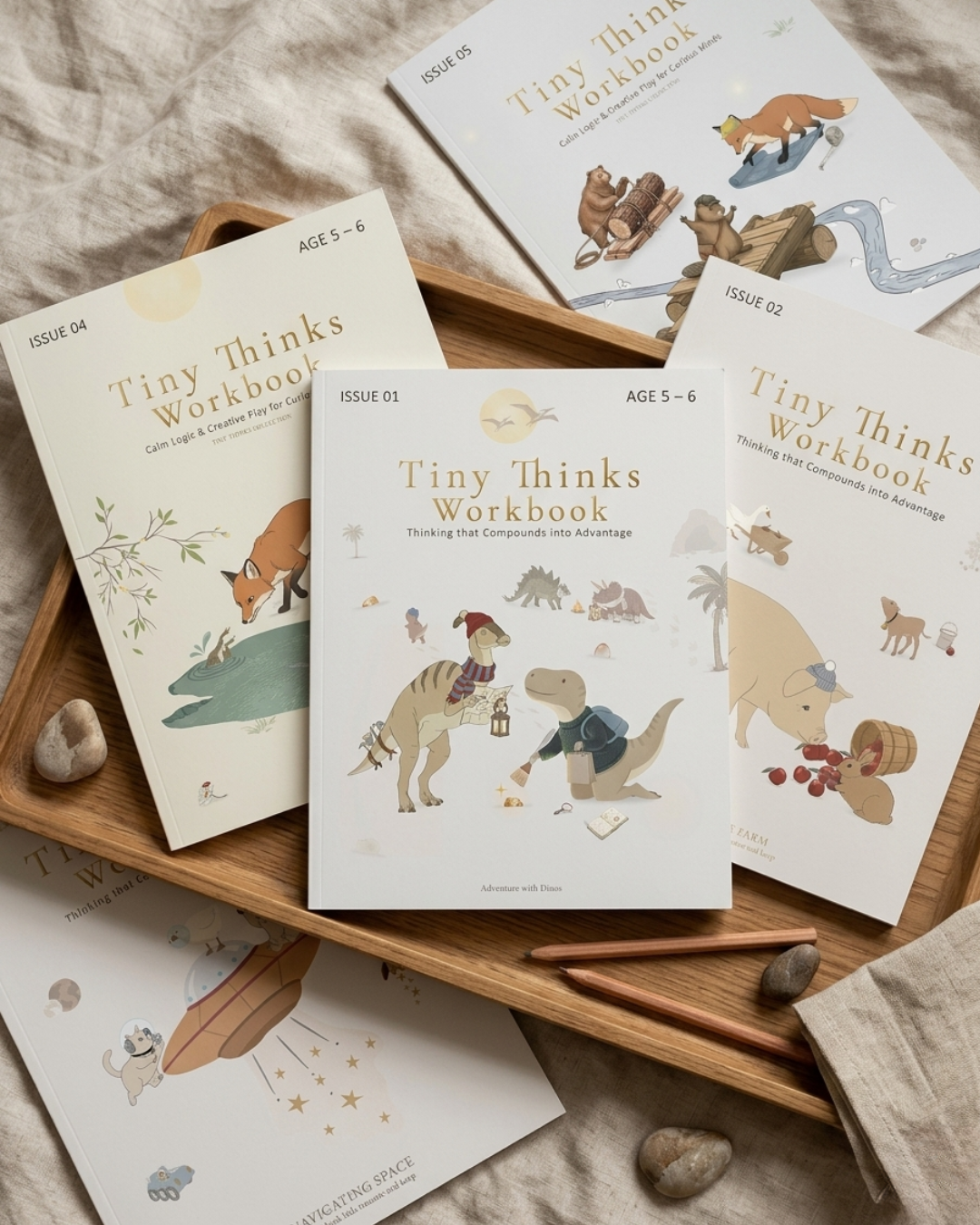
Tiny Thinks™ is made for these moments—after school, at the table, when nothing else calms the room. Our Free Calm Pack brings gentle, structured reset tasks under two minutes. They immerse themselves in matching, tracing, and sequencing silently. Parents notice an instant decrease in volume and urgency.
For parents pursuing a proven, replicable solution, Tiny Thinks™ Workbooks continue the same peaceful reasoning. No distractions, no excitement—just the cognitive processing layer that enables kids to calm down, develop focus, and return to solo, screenless play.
The “Why” Behind the Screen.

Screen time is not a moral battlefield; rather, it serves as a parental tool in daily lives — sometimes for respite, sometimes for survival. Toddlers, often referred to as ‘iPad kids,’ grab for tablets due to unmet needs in their environment. Understanding these drivers allows parents to shift the pattern of device addiction, rather than simply yanking the device away.
Unmet Needs
Toddlers are hardwired for ease and expectation. When life is loud or overwhelming, such as when mom or dad is on a conference call, a sibling is having a hissy fit, or in a new environment, a screen provides immediate relief. The vibrant hues, tune, and certainty of result can quickly pacify a weary or nervous little one. However, this reliance on screens can lead to screen time addiction.
Boredom, in a surprisingly silent way, is always involved. A kid with an hour to kill and no interesting, organized alternative will fall back on what’s at hand and simple. Screens are immediate, endlessly fresh, and easy to initiate. When Mom and Dad are hustling or dinner’s cooking, it’s the easiest way to go.
Sometimes screens fill a social void. A video call to a relative, watching a favorite show with a brother or sister, or even emulating the older kid’s use — these all foster a kind of connection, even if passive. For socially starved families, this can become the primary means kids participate, potentially leading to negative effects on their communication skills.
So let’s just say a lot of parents want to use digital platforms for learning. Learning games or language apps seem to have a reason, particularly when road trips are long or money is tight. The trick is that the distinction between education and amusement becomes immediately fuzzy and the dopamine kick remains consistent.
Environmental Triggers
Home life chooses the tempo. For some, outdoor space is scarce or the weather has everyone inside. In small apartments or packed neighborhoods, screens replace what would otherwise be a missing park or safe space to play.
When screens become the automatic default for activities like waiting, eating, or winding down, children begin to expect them as a constant presence. If older kids engage in excessive screen use, younger siblings are likely to imitate their behavior, leading to a cycle of device use. This phenomenon is not just a coincidence; it reflects primitive modeling in action.
Daily stuff. When screens become an automatic default for waiting, eating, or winding down, kids start to anticipate them as ambient din. If the older kids are on their devices, the younger kids will pile on, mimicking what they observe. This isn’t a flop, it’s primitive modeling.
The Content Itself
Content is designed to be captivating. Rapid shot, rapid editing, rapid gratification — these are not a coincidence. They generate a feedback loop that is difficult for a toddler to break away from, particularly as their brain is still acquiring the skill of self-regulation. This phenomenon can lead to screen time addiction, especially when kids become ipad kids who crave constant stimulation.
What they call “educational” apps and shows can be slippery. A few instruct in legitimate skills, but most are mere amusement henchmen. The more engaging the content, the more it is prone to break up attention and leave kids hungry for more. Others have difficulty transitioning back to slower activities like reading or independent play after extended periods of screen time.
There are tangible dangers. Inappropriate ads, violent scenes or even just age-inappropriate humor can sneak in, particularly on auto-play platforms. For other kids, overexposure can hijack their ability to envision, craft, or concentrate on something that doesn’t roll by fast. Worries about reading and imagination are not unfounded. If a child’s mind is always being spoon-fed, it seldom has room to roam or construct on its own.
Tiny Thinks is designed for these pressure points. The Free Calm Pack provides a low-stimulation, organized alternative when you’ve gotta get your kid settled — after school, at dinner, in the car, or before bed. The workbooks provide the same serene, reliable thinking overlay — always screenless, always kid-driven.
No hype, no guilt! Just a system that works when you need it most.
How to Break Screen Addiction
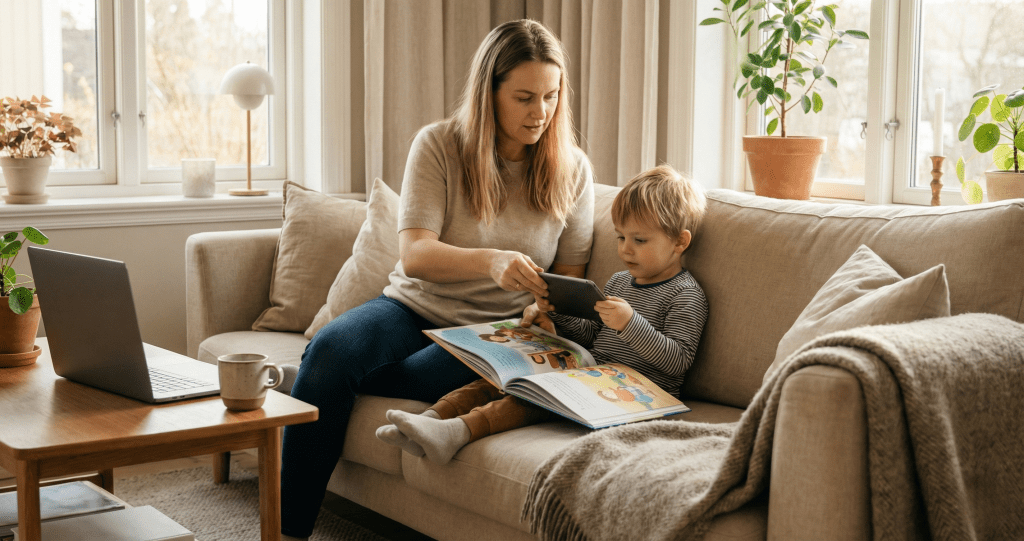
Screen dependence in preschool typically manifests as a toddler who instinctively latches onto the iPad at every idle moment—right after school, around the dinner table, in the car, prior to bedtime. It’s not screens per se that are the problem, but what fast stimulus as a default does to a young mind. Regulation declines, patience erodes and solo play disappears.
We do not seek to stigmatize screen use; rather, we want to construct a peaceful, organized ecology in which screens are one choice, never the only choice.
1. Create a Digital Detox Plan
Set daily limits: For ages 2 to 5, global guidelines suggest no more than 1 hour of screen time per day. For children under 2, avoid screens altogether. Take consistent windows, such as after school or a fixed 20-minute block, so the expectation is clear and consistent.
Stay away from ‘whenever’ and ‘just this once.’ Include your kid in the process. Even a three-year-old can assist in decorating a visual schedule or deciding what activities will fill screen-free blocks. Use easy timers or countdown clocks so your kid can visually keep track of time.
They do better with structure than abrupt shut-offs. If screen use is entrenched, a two-week break, a full “reset,” can help. Mark off the days as a family and celebrate the return to quieter rhythms.
Check in regularly. Is your son more relaxed? Do they switch more readily? Tweak as necessary. The aim is a hard structure with room for real life.
2. Replace, Don’t Remove
Ripping screens away directionless leaves a void. Populate it with tactile, compelling alternatives. Establish trays with easy puzzles, peg boards or easy ‘match and trace’ work. Provide crayons and white paper for free drawing.
Books with colorful, clear images work well. Rotate toys and materials — one shelf, not a mountain to choose from. Take play outside as often as you can. Nature regulates in ways screens can’t. Even a walk around the block can help.
Family game nights, storytelling circles, or building blocks all promote peaceful, connected involvement. One consistent, predictable thing to do immediately after school is to use pattern blocks or sticker matching. This anchors kids and stops the “now what?” scurry that sends them back to the iPad.
3. Model Healthy Habits
Little kids watch adults. Put your phone away during meals, look your child in the eye, and narrate your choices: “I’m turning off my screen now so I can play with you.” Share unplugged time.
If they observe you grab a book or dive into a puzzle, they will be more inclined to follow suit. Don’t preach—just practice. Narrate your activities (“I need a screen break to rest my brain.”)
Get your kid to speak up when he or she feels screen “tired” or wants a switch.
4. Redesign Their Environment
Establishing screen-free zones is crucial for healthy screen habits. No devices should be allowed in bedrooms or at the dinner table, helping to combat device addiction among children. Keeping tablets and smartphones out of sight when not in use encourages alternative activities, such as engaging with art supplies or puzzles that your child can access independently.
Timers or picture schedules help transitions. For instance, a five-minute sand timer marks the end of screen time. These physical boundaries, such as a ‘no screens after dinner’ household rule, render your routines concrete.
Designing play spaces that encourage movement and creativity, rather than passive screen use, is essential. Simple items like baskets filled with blocks or matching cards can stimulate engagement and reduce excessive screen time, fostering healthier communication skills in children.
5. Reconnect Through Play
They reset best through calm, hands-on play. Board games, matching cards, or a plain old sorting chore will do. Imaginative play, such as opening a pretend shop, constructing a fort, or organizing colored pebbles, calms the nervous system and develops nascent attention.
Family walks, park time, or a trip to the market become screen-free excursions. Ask friends over for playdates, screens off and new real-world social skills on.
Tiny Thinks™ is designed for these moments: after-school crashes, waiting room spirals, bedtime wind-downs. The Free Calm Pack provides fast, targeted, screen-free activities any kid can initiate solo.
When you’re ready, age-based Workbooks take the system further. They are always calm, always organized, and always available when you need your child to chill and think quietly.
Choosing Quality Over Quantity
Tiny Thinks™ for mindful parents who recognize screens as a tool — not a vice. It’s not about policing a screen diet, it’s about increasing the bar for what saturates a kid’s scarce digital hours. Choosing quality over quantity isn’t about ditching screens entirely, it’s about recalibrating what constitutes high quality input.
Research and advice from groups like the American Academy of Pediatrics is consistent — kids do best with hands-on, carefully selected experiences — not hours, but how you spend your time. When toddlers are exposed to quality, hands-on content, they stand a better chance of developing attention, language, and early thinking skills.
The real danger is when passive, sped-up video becomes the norm, pushing aside the hands-on, slower experiences that rejuvenate a child’s nervous system. Balance is not a catchphrase here — it’s a real-life scaffolding.
|
Content Type |
Example |
Level of Participation |
Cognitive Benefit |
|---|---|---|---|
|
Interactive |
Puzzle apps, music creation |
High |
Builds focus, memory |
|
Passive |
Nonstop cartoons, auto-play |
Low |
Fragments attention |
|
Hybrid |
Story apps with prompts |
Medium |
Supports sequencing |
Interactive Content
Interactive content is the basis of any quality-first digital strategy for young children. Apps that have a child match, trace, or build – think simple puzzles or make music – do more than entertain. They construct working memory and require active involvement.
They are not just “better” than video; they are different in the demands they place on a child’s mind. For parents, the trick is to seek out programs that have the child do the thinking. Select things for which your child needs to make a choice, solve a problem, or invent.
Digital drawing boards, for instance, encourage self-expression, while starter coding games can impart sequencing and pattern recognition. Even with videos, select programs that stop from time to time to pose questions or have your child participate, not simply sit and watch.
Passive Content
Passive content surrounds us, and it’s easy for habits to lapse into extended sessions of streaming or scrolling. This isn’t about policing every moment, but about understanding the tradeoffs. Excessive passive consumption, particularly when unguided, results in fragmented attention and a decreased tolerance for unhurried reality.
Binge-watch kids have a hard time switching to quieter pursuits or solo play. It assists in putting clear boundaries around these kinds of inputs. For instance, permit one episode after lunch or while traveling, but no infinite auto-play.
Monitor what’s being watched more closely. Opt for softer, age-appropriate content over anything rapid or frenzied. These little boundaries assist kids in finding their way back to a regulated state and promote more mindful, active involvement in alternative activities.
Discussing the distinction between active and passive input is important. Even toddlers can understand: “This is a show we watch together, this puzzle is something you do with your mind and hands.” These little talks sow the seeds of media literacy and self-control.
Pacing and Ads
Kids’ brains aren’t made for this constant rapid stimulation. Establishing basic rules around screen time can go a long way. These session breaks give a child’s nervous system a chance to reset, so they’re less likely to get cranky or zoned out after screen time.
For instance, after ten minutes with an app, prompt a physical break — even a few steps around the room. Advertising is another neglected consideration. So many free apps are spammed with ads or in-app purchases, yanking a child’s focus away from the challenge and toward immediate gratification.
These intrusions break up concentration and they can make kids more difficult to calm down later. Educate your kid to recognize ads and talk about what they’re advertising, cultivating media literacy from an early age.
Tiny Thinks™ is built for these real-world moments: after-school decompression, mealtime chaos, travel, or screen transitions. The Free Calm Pack provides parents a low-barrier opportunity to sample structured, screen-free thinking play that kids initiate and complete solo.
For families who want more, age-based Tiny Thinks™ Workbooks provide continued support and are still crafted to be soft, consistent, and simple to slip back into, even if the day is wild.
The Co-Viewing Connection

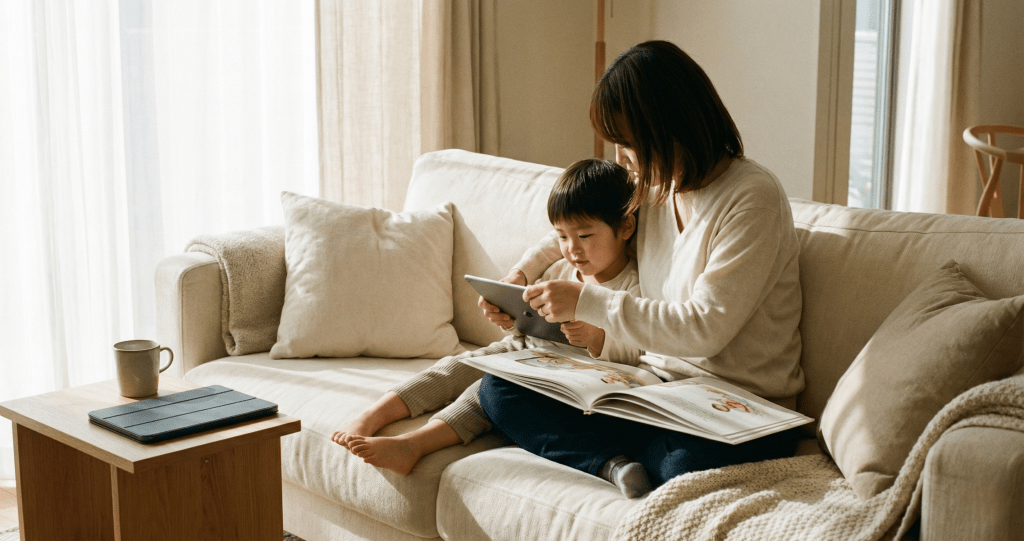
Co-viewing provides parents a realistic strategy for negotiating screen time and extending connection with their child. For kids under 5, co-viewing experiences limited to less than an hour a day can mitigate screen time and facilitate bonding. In most homes, screens are a tool, not an automatic setting. The purpose changes from mindless distraction to engaged interaction, with co-viewing serving as a connection between parent, child, and program.
Shared Experience
Bonding blossoms in those little moments—sitting next to each other, watching a story together. When a parent picks content that is valid viewing for both themselves and their offspring, the screen becomes a window instead of a wall. Easy questions about the plot or characters transform screen time into dialogue, not just amusement.
This interactive dialogue around the viewing content aids kids in making sense of what they are seeing and provides parents the opportunity to encourage healthy habits—shutting off the device after a predetermined period, pressing pause to discuss. Other parents find that co-viewing kids are more likely to transition away from screens without complaint.
An experienced nanny has witnessed families that handle screen time as a co-viewing connection tend to have less battle with transitions. Whether you’re sharing a belly laugh or identifying a favorite scene, it’s memorable and good. Co-viewing, when it’s regular, seeds children’s ability to view screens as a technique, not a reliance.
Guided Learning
When a parent treats screen content as a beginning of learning, it becomes more than background noise. Learning shows and even light documentaries can add fresh perspectives, but the talk during and after solidifies knowledge. Kids are inherently inquisitive.
Asking ‘why did that happen’ or ‘how does that character feel’ sparks critical thinking. Linking what they see to real-life situations, such as comparing a story’s garden to the plants outside, makes learning stick. Purposeful co-viewing means setting small goals, maybe to learn a new word or to notice how characters solve problems.
This framework provides sense to the meeting. Other families discover that discussing the content after the screen’s dark supports reinforcing key concepts and maintaining an interactive experience. When parents are around, kids absorb critical thinking, patience, and curiosity by osmosis.
Digital Boundaries
Boundaries are what transform screen time from zoo to zen. Set clear rules, like one show after school or screens only in the living room, that help them keep that “knowing what to expect” feeling. Parents can talk about why breaks are important and offer replacements, like sketching or a quick stroll, to refresh the mind.
Tracking habits isn’t about control; it’s about observing when the screen becomes friction. Modifying boundaries according to a child’s behavior demonstrates compassion and flexibility. Open discussions on the reasons why screens are restricted let kids express their views and feel listened to.
Other adults are heartbroken to see families glued not to one another but to devices, a reminder that screens shouldn’t replace connection. Parents’ habits matter as well. Kids who witness adults putting down their phones are more likely to do the same. Without limits and shared viewing, screens can be isolating and replace both social time and physical activity.
|
Benefit |
Strategy Example |
|---|---|
|
Bonding |
Watch together, pause to talk, share favorite moments |
|
Deeper learning |
Discuss story themes, ask questions, link to daily life |
|
Healthier habits |
Set time limits, turn off screens together, model moderation |
|
Positive associations |
Celebrate shared laughs, recall stories, reinforce calm transitions |
Tiny Thinks™ are for these kinds of daily moments—after school, at the dinner table, in waiting rooms—when a child requires quiet concentration, not quick diversion. The Free Calm Pack provides parents with easy, screen-free pages their kids can use on their own.
For continued reinforcement, age-appropriate Tiny Thinks™ Workbooks provide silent, organized thinking activities that repair attention and self-regulation, all in a low-stimulus, visually muted style. No pressure, no judgment—just a handy tool when you’re desperate to get your child settled and thinking.
Beyond Blue Light Glasses
Navigating your toddler’s screen relationship is not about demonizing iPads; it’s about constructing real-world, repeatable habits that genuinely assist a child in settling and focusing. Blue light glasses are hot, but they tackle the tiny tip of a very big iceberg. The deeper work is in crafting structure—times and spaces where screens are on pause, and the child’s brain has an opportunity to change gears.
I’ll say the same thing as before, a key step is instituting screen-free times, particularly before bed. The research is unambiguous. Screens shine a light that signals to the brain that it’s still daytime. As a toddler, that translates to late nights and difficult sleep transitions and a toss and turn kind of night.
It’s not the subject matter that’s energizing; it’s the illumination. Kids’ eyes are more susceptible to blue light than adults’, so the effect is immediate. Blue light glasses can assist slightly, but the most dependable approach is to shut the device down at least an hour before bedtime. This allows the body’s natural rhythms to reset.
Others have a straightforward guideline. After dinner, the tablet is put away and the evening transitions to quiet, hands-on play or reading. It’s not a penalty. It’s a reset button for the kids’ body and mind.
Exercise and sunlight remain essential. The truth is, so many kids are cooped indoors for hours on end, eyes just a few inches away from a screen. This is hard on young eyes and can cause digital eye strain, dryness, headaches, and squinting.
Direct exposure to daylight, even just 20 to 30 minutes a day, helps protect their vision and promotes healthy sleeping habits. The 20-20-20 rule is easy to remember: every 20 minutes, look at something 20 feet away for 20 seconds. If screens are unavoidable, hold them at least an arm’s length away. It’s a minor adjustment, but it has a major impact.
Mindfulness can help kids observe when they’re becoming restless, fatigued, or overwhelmed. Not meditation or breathing exercises, just awareness building. Assist your kid to label their emotions after screens. Are they jumpy, sleepy, or cranky?
These easy check-ins allow kids to begin to recognize their own boundaries. Younger kids can draw a face to display how they feel after screen time. Over time, this pattern recognition builds self-regulation.
Tiny Thinks was made for these times. When a kid’s melting down post-screen or bedtime is spiraling, a peaceful, organized page is usually the quickest route back to calm. The Free Calm Pack targets these pressure points after school, mealtime, waiting rooms, and travel.
Kids ground into it by themselves. For families that need a more in-depth system, the age-based Workbooks provide a consistent, scalable routine to substitute for the iPad, particularly during transitions. No judgment, no guilt—just an effective tool, silently, when you need it most.
Conclusion
Most parents know the signs: a toddler glued to an iPad, quick to frustration when it’s taken away, restless without the screen’s fast rewards. Underneath the science, it’s not about lack of discipline or tough love—it’s about how rapid, random input rewires focus and tolerance. Slowing things down, providing some structure and introducing calm, tactile alternatives provides the brain with a new anchor. Small, predictable routines—like matching cards or quiet drawing—help soothe the nervous system and make independent play enticing once more.
Kids get over it. The meltdowns diminish, attention resurfaces, and screen time is just one element of a broader landscape. It’s never about being a perfect parent. It’s about constructing a reliable base of attention and tranquility, one incremental advance at a time.
Frequently Asked Questions
How can I tell if my toddler is addicted to the iPad?
Such as throwing tantrums when you confiscate their device, becoming disinterested in other activities, and constantly requesting screen time. Be on the lookout for shifts in sleep, mood, or social behavior.
What are the risks of too much iPad use for toddlers?
Too much screen time can disrupt sleep, delay language, and reduce physical activity. It might affect attention and social development in young kids.
How much screen time is safe for toddlers?
Experts now advise that parents keep screen time for children aged 2 to 5 years at less than an hour per day to promote healthy screen habits and avoid device addiction.
What steps can I take to reduce my toddler’s iPad use?
Establish boundaries, make a schedule, provide alternatives. Step 2: Wean off screen time and be persistent. Promote play, reading, and family time.
Does co-viewing iPad content with my child help?
Yes, co-viewing reinforces learning and helps them make sense of what they’re seeing. It fosters discussion and deepens your bond with your kid.
Are blue light glasses enough to protect toddlers from screen harm?
While blue light glasses may alleviate eye strain, they do not address the behavioral issues and sedentary lifestyles linked to excessive screen time, making it vital to limit device use.
What should I do if my toddler gets upset without the iPad?
Breathe, soothe, and distract with alternative activities to combat device addiction. Give it some time as your kid adapts to healthier screen habits, creating less frustration in the long run.